Researchers often want to examine the relationship between two variables while controlling for the influence of another variable. Many students attempt a simple correlation analysis and then discover that the results fail to answer the research question. This problem frequently appears in dissertations, assignments, and survey studies where confounding variables distort the relationship between variables.
Partial correlation solves this problem. It measures the relationship between two variables while statistically controlling the effect of one or more additional variables. When researchers understand how to run partial correlation in SPSS, they can isolate the true association between variables and produce more accurate conclusions.
This guide explains what partial correlation is, when to use it, how to calculate partial correlation in SPSS, how to interpret results, and how to compute semi-partial correlations. It also shows the SPSS syntax and addresses common mistakes that lead to incorrect outputs. If you encounter difficulties running correlations or interpreting SPSS results, professional assistance is available through MySPSSHelp and our dedicated online SPSS help service.
Why Many Researchers Struggle With Partial Correlation in SPSS
Many research questions involve relationships that other variables influence. For example, a study may examine the relationship between study hours and exam scores while controlling for prior academic ability. A simple correlation cannot separate these effects.
Students frequently encounter several problems:
First, they run a standard Pearson correlation without controlling the confounding variable. The results then exaggerate or hide the true association.
Second, many researchers confuse partial correlation with semi partial correlation. Both techniques control variables, but they differ in how they remove variance.
Third, SPSS output often appears unfamiliar because partial correlation tables differ from standard correlation output.
These issues often occur in dissertation research and complex datasets. Many students then seek help through professional services such as SPSS dissertation help or full dissertation data analysis services.
What Is Partial Correlation in SPSS?
Partial correlation measures the relationship between two variables while removing the effect of one or more control variables. When one of the variables becomes dichotomous rather than continuous, researchers should instead use procedures such as those explained in the guide on point biserial correlation in SPSS.
Researchers use this technique when a third variable influences both variables under study.
For example:
- Relationship between stress and job performance
- Control variable: years of experience
Without controlling experience, the correlation might appear misleading. Partial correlation removes that influence and isolates the direct relationship between stress and performance.
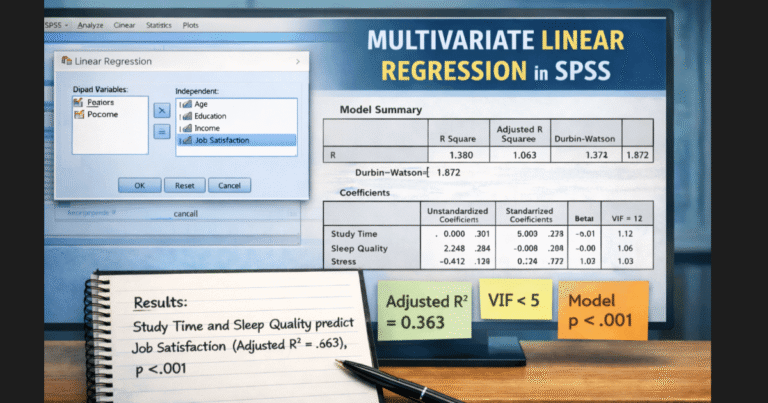
Researchers often combine correlation analysis with other statistical techniques such as regression or ANOVA. For example, studies may progress from correlation to modeling methods explained in the guide on multiple regression in SPSS or the tutorial on how to run a linear regression in SPSS.
When to Use Partial Correlation
Researchers should use partial correlation when a third variable influences the relationship between two variables.
Typical scenarios include:
- Controlling demographic variables such as age or gender
- Removing the influence of baseline scores in intervention studies
- Examining relationships between survey variables while controlling background characteristics
For example, a health researcher may analyze the relationship between exercise frequency and blood pressure while controlling body mass index.
In survey research, demographic variables often distort correlations between attitudes and behaviors. In such cases, researchers combine partial correlation with proper data collection strategies explained in guides on survey design and survey data analysis.
How to Calculate Partial Correlation in SPSS
SPSS includes a dedicated procedure for computing partial correlations. Follow these steps carefully.
Step 1: Open the Partial Correlation Menu
Click:
Analyze
Correlate
Partial
Step 2: Select the Main Variables
Move the two variables you want to analyze into the Variables box.
Step 3: Add Control Variables
Move the confounding variable or variables into the Controlling For box.
Step 4: Select Correlation Method
SPSS calculates Pearson partial correlation by default.
Step 5: Run the Analysis
Click OK to generate the output.
The output table will show:
- Partial correlation coefficient
- Significance value
- Degrees of freedom
Researchers who work with complex datasets often examine descriptive statistics before running correlation analysis. You can learn this procedure in the tutorial on descriptive analysis in SPSS.
SPSS Syntax for Partial Correlation
Researchers who document their analysis often prefer syntax. Syntax allows replication and transparency in academic research.
The following syntax calculates a partial correlation:
PARTIAL CORR
 /VARIABLES = exam_score study_hours
 /CONTROLLING = prior_ability
 /SIGNIFICANCE = TWOTAIL
 /STATISTICS = CORR.
Replace the variable names with those from your dataset.
Syntax becomes especially useful when researchers analyze large datasets or repeated measurements. Many students request help with SPSS scripts through our SPSS lab support and help with SPSS analysis.
How to Interpret Partial Correlation in SPSS
Interpreting partial correlation results requires careful explanation of the controlled variables.
Suppose SPSS produces the following result:
Partial correlation (r) = .38
p = .004
Control variable = prior ability
The interpretation would read:
A partial correlation examined the relationship between study hours and exam scores while controlling for prior academic ability. The analysis revealed a significant positive association, r(97) = .38, p = .004.
This result indicates that study hours remain significantly associated with exam scores even after controlling the influence of prior ability.
Researchers writing dissertations often struggle with statistical interpretation and reporting. Detailed guidance appears in the tutorial on how to write up a dissertation analysis using SPSS.
Semi Partial Correlation SPSS
Semi partial correlation measures a slightly different relationship than partial correlation.
Partial correlation removes the control variable from both variables in the analysis.
Semi partial correlation removes the control variable from only one variable.
Researchers often call this statistic part correlation. It frequently appears in regression output.
For example, a regression model examining predictors of academic performance may report semi partial correlations for each independent variable. These statistics help identify the unique contribution of each predictor.
You can see how these measures appear in regression output in tutorials such as simple linear regression SPSS and multiple linear regression SPSS.
Squared Semi Partial Correlation in SPSS
Squared semi partial correlation represents the proportion of variance that a predictor uniquely explains in the dependent variable.
Researchers interpret it as the unique variance contribution of a predictor after controlling other variables.
For example:
If squared semi partial correlation equals 0.09, the predictor uniquely explains 9% of the variance in the dependent variable.
These values often appear in regression tables and help researchers determine the importance of each predictor in a model.
Students frequently ask for help interpreting these statistics when preparing dissertation results chapters. Our analysts regularly assist with complex outputs through SPSS data analysis services and specialized biostatistics help.
Spearman Partial Correlation SPSS
Some datasets violate normality assumptions or involve ordinal variables. In such situations, researchers may prefer Spearman partial correlation.
SPSS does not provide a direct menu option for Spearman partial correlation. Researchers typically compute it using regression residuals or specialized statistical procedures.
Before selecting the appropriate method, researchers should examine the distribution of variables using techniques described in the normality test SPSS guide or consider nonparametric alternatives such as the methods explained in the Spearman correlation SPSS tutorial.
Common Problems When Running Partial Correlation in SPSS
Several mistakes frequently produce misleading results.
Ignoring Confounding Variables
Many researchers run simple correlations when a confounding variable exists. This mistake produces inflated or suppressed relationships.
Confusing Partial and Semi Partial Correlation
Students often report semi partial correlations when the research question requires partial correlation.
Violating Statistical Assumptions
Partial correlation assumes continuous variables and approximately normal distributions. When assumptions fail, researchers should consider alternative techniques such as those discussed in nonparametric correlation SPSS.
Incorrect Interpretation
Many students forget to mention the controlled variable when reporting results. This omission makes the statistical interpretation incomplete.
When researchers analyze complex datasets from surveys or experiments, they often need professional support to ensure correct procedures and interpretations. Many clients seek help with large datasets through services such as questionnaire data analysis and consulting for statistical tools in research.
When to Seek Expert Help With SPSS Correlation Analysis
Correlation analysis appears simple at first, yet real research datasets often introduce complications. Confounding variables, assumption violations, and interpretation errors can quickly make the analysis difficult.
Researchers often request professional assistance when they need help with:
- Running partial or semi partial correlations
- Interpreting SPSS output correctly
- Writing statistical results in APA format
- Troubleshooting dataset errors
- Completing dissertation analysis sections
Our analysts support students and researchers worldwide who need accurate statistical analysis and clear interpretations. Whether you need help running correlations, interpreting outputs, or completing an entire results chapter, our experts provide reliable statistical consulting for assignments, theses, and dissertations.