Statistical Tools in Research: Best Picks for Student Success
Discover the most effective statistical tools in research, how to select the right method, and how to report them correctly in your thesis or paper.
If you’re searching for reliable SPSS help or SPSS Dissertation services, you’re in the right place. This category is dedicated to providing comprehensive, expert-written resources on how to use the Statistical Package for the Social Sciences (SPSS) effectively.
If you’re a student tackling a dissertation, a professional conducting advanced analysis, or a researcher preparing for publication.
SPSS is one of the most widely used tools for statistical analysis, offering powerful capabilities in data management, hypothesis testing, regression, ANOVA, and more. However, it’s not always easy to navigate, especially for those new to statistics or working under pressure. That’s where we come in.
At myspsshelp.com, we offer step-by-step tutorials, SPSS guides, and real-world examples to simplify your learning curve. Our blog posts explain how to run key statistical tests, interpret outputs, and avoid common mistakes. We also dive deep into SPSS for dissertations, showing you how to present your findings in a clear, publishable format.
Whether you need help running a linear regression, writing up your results, or just understanding the basics of SPSS output, you’ll find valuable support here. We’re trusted by thousands of students, researchers, and businesses across the world. Our resources are designed to help you work smarter, save time, and increase the accuracy and reliability of your results.
Explore the posts in this category and don’t hesitate to reach out if you need personalized assistance. For affordable expert support, check our pricing page or explore our professional SPSS help services.

Discover the most effective statistical tools in research, how to select the right method, and how to report them correctly in your thesis or paper.

Need affordable SPSS assignment writing? See real student pricing, what’s included, and how to get expert SPSS analysis and interpretation fast.

Need to run a Kruskal Wallis test but unsure about the steps or interpretation? This practical guide shows when to use it, how to run it in SPSS, R, Python, and Excel, and how to report results correctly so you avoid analysis mistakes and score higher marks.

Need to run a Mann Whitney U test in SPSS but not sure where to start? This practical guide shows exact steps, interpretation rules, effect size calculation, and reporting tips so you get correct, defensible results fast.

Testing data normality in SPSS is a critical step before running t-tests, ANOVA, or regression. This practical guide shows how to assess distribution assumptions using Shapiro–Wilk, Kolmogorov–Smirnov, skewness, kurtosis, and visual diagnostics, with clear interpretation rules and SPSS syntax to help you make correct statistical decisions with confidence.

This guide explains how to run factorial ANOVA in SPSS, interpret interaction effects correctly, apply syntax, and report results in APA style without costly mistakes.

Nonparametric correlation in SPSS allows researchers to assess relationships between variables when data violates Pearson assumptions. This guide explains Spearman and Kendall correlations, when to use them, how to run the analysis in SPSS, and how to interpret results correctly.

The independent samples t-test in SPSS allows researchers to compare mean differences between two independent groups with statistical accuracy. This guide explains when to use the test, how to perform it in SPSS, key assumptions, output interpretation, and syntax for reproducible analysis.

Stepwise logistic regression in SPSS helps researchers identify key predictors for binary outcomes using data-driven variable selection. This guide explains how to run stepwise logistic regression in SPSS, interpret results, check assumptions, and apply forward, backward, and bidirectional methods using clear examples and reproducible SPSS syntax. Ideal for survey researchers, thesis students, and applied analysts who need accurate, defensible logistic regression models.

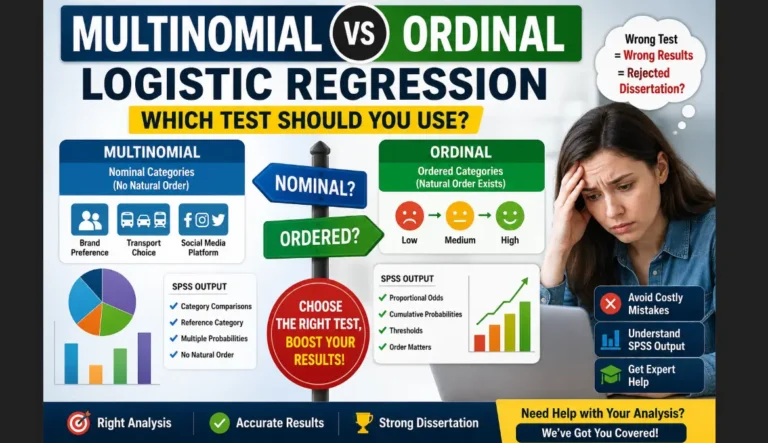
This guide explains how to perform multinomial logistic regression in SPSS, interpret outputs correctly, apply multilevel extensions, write syntax, and report results in APA style.

Spearman correlation in SPSS helps researchers analyze monotonic relationships when data violate normality assumptions. This guide explains how to run Spearman correlation in SPSS, interpret output tables, visualize results with scatter plots, perform partial Spearman correlation, and report findings accurately for academic research.

The chi square test in SPSS helps researchers examine associations between categorical variables using frequency data. This guide explains how to run a chi square test in SPSS, interpret output tables, perform post hoc analysis, calculate effect size, and report results correctly for academic research.

Cronbach’s alpha reliability in SPSS helps researchers assess the internal consistency of survey scales and questionnaires. This guide explains how to calculate Cronbach’s alpha in SPSS, interpret output tables, evaluate item performance, use syntax, and report reliability results correctly for academic research.

One way ANOVA in SPSS allows researchers to compare mean differences across three or more groups using a single factor. This guide explains how to do a one way ANOVA in SPSS, interpret output tables, run multiple comparisons, calculate effect size, and report results accurately for academic research.

Multivariate linear regression in SPSS allows researchers to evaluate how multiple predictors jointly influence a continuous outcome variable. This guide explains how to perform multivariate linear regression in SPSS, check assumptions, interpret output tables, and report results accurately for theses, dissertations, and academic research.