Mailchimp SurveyMonkey Integration Guide for Automation
This guide explains how to integrate SurveyMonkey with Mailchimp to automate email campaigns, sync survey contacts, and improve targeting with expert setup support.
Looking for the right platform to design your next survey? The Survey Design Tools category at My Survey Help is your go-to resource for choosing the ideal solution. We offer detailed guides, tool comparisons, and practical tutorials covering popular platforms like SurveyMonkey, Qualtrics, Typeform, Microsoft Forms, and QuestionPro.
Whether you’re a student running academic research, a business gathering customer feedback, or an HR professional measuring employee engagement, selecting the right tool makes all the difference. That’s why we focus on helping you understand how each platform works in real-world scenarios.
Our articles break down features, pricing, usability, and reporting capabilities to help you find what fits your goals and budget. We also highlight key differences between tools, so you can make confident decisions—especially when accuracy, data security, and ease of use are priorities.
You’ll find expert insights on survey creation, logic branching, response tracking, integrations, and more. We also cover platform limitations and hidden challenges to help you avoid costly mistakes. Whether you’re new to surveys or a seasoned researcher, our step-by-step guides and expert reviews make navigating survey tools much easier.
Stay ahead by choosing smarter. With our regularly updated content, you’ll save time, reduce guesswork, and improve the quality of your data collection. Browse the Survey Design Tools section and discover the platform that best supports your research success.
This guide explains how to integrate SurveyMonkey with Mailchimp to automate email campaigns, sync survey contacts, and improve targeting with expert setup support.
Hotjar Typeform integration gives organizations a powerful way to convert user behavior insights into structured, actionable feedback. This guide walks through how the integration works, how to prepare both tools, and how to set it up through automation platforms like Zapier. It also outlines best practices and explains why automating the workflow leads to deeper insights and better decision making.
Microsoft-outlook Typeform integration provides an efficient way to automate notification emails, create Outlook contacts, schedule appointments, and route important form submissions directly into your Microsoft 365 environment. Many teams rely on Typeform to collect data because of its user friendly design, while Outlook remains the central communication tool across organizations. Integrating the two reduces manual…
Typeform Zoho CRM integration allows you to send responses from Typeform directly into Zoho CRM so that each submission becomes an organized record for sales, marketing, or service teams. This guide explains how the integration works, how to prepare both platforms, and how to set up the field mapping correctly. It also highlights best practices for keeping your CRM structure consistent and ensuring accurate, long term data flow.
Zapier Typeform integration allows you to automate tasks triggered by Typeform submissions and connect your form data to thousands of applications. This guide explains how the integration works, how to prepare both platforms, and how to configure the automation step by step. It also covers workflow design, testing, optimization, and best practices for maintaining efficient multi step Zaps. The goal is to help you build stable, flexible automations that support your ongoing operational needs.
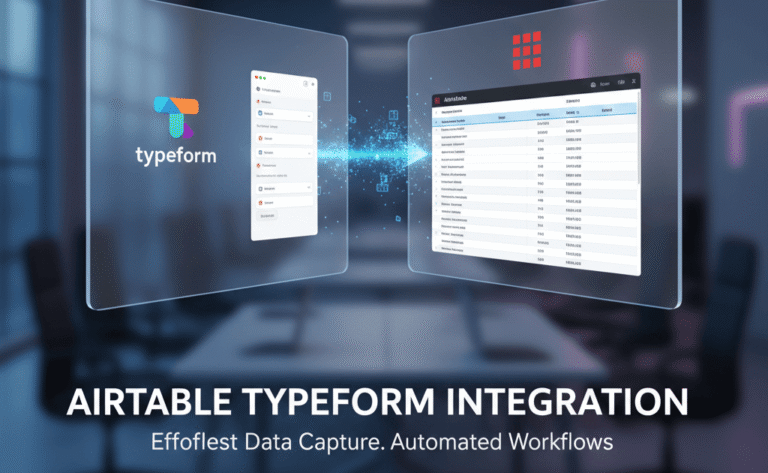
Airtable Typeform integration provides organizations with a seamless way to transfer beautifully designed Typeform responses into Airtable’s structured database environment. While Typeform excels at creating conversational, engaging, and user-friendly forms, Airtable offers a powerful combination of spreadsheet-style organization and relational database capabilities. When integrated correctly, the two tools eliminate manual exports, reduce data processing time,…
Collaboration in SurveyMonkey isn’t just sharing a survey—it’s about working together with shared libraries, roles, and permissions. This guide walks you through everything: how to set up team plans, invite collaborators, use workgroups, manage assets, and avoid permission pitfalls.

Struggling to understand how Glint Survey and Microsoft Viva Glint actually work in practice? This detailed guide breaks down features, ownership, privacy, and survey workflows in clear terms, and shows how to avoid setup and design mistakes that lead to weak employee feedback programs. If your team feels stuck configuring Glint surveys, scoring models, or reporting dashboards, expert support can help you get it right the first time.
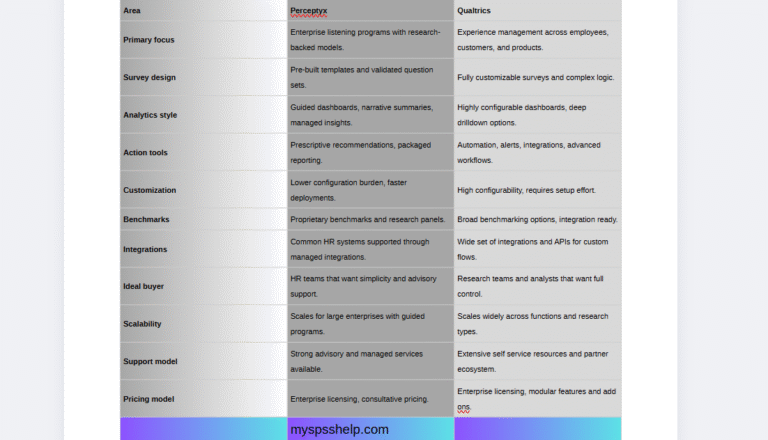
This detailed comparison explains the differences between Perceptyx and Qualtrics for employee engagement surveys. The guide explores listening tools, analytics, workflows, customization, strengths, and ideal use cases to help organizations choose the correct platform.
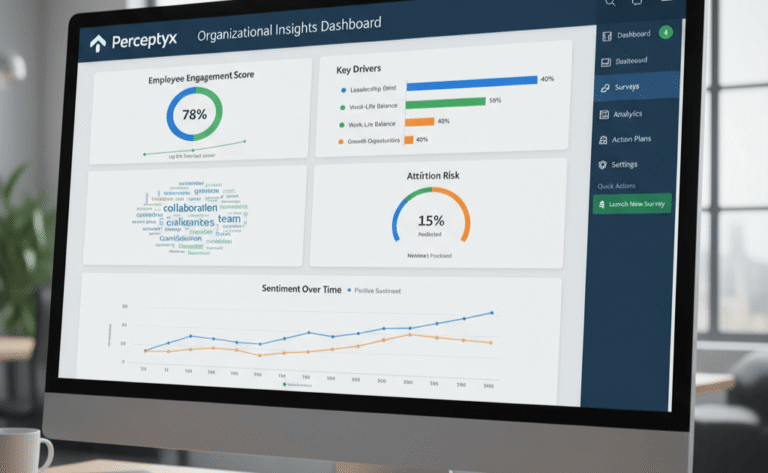
A complete, practical guide to Perceptyx surveys covering the platform, survey question design, confidentiality, analytics, and implementation best practices — with pointers to professional setup.
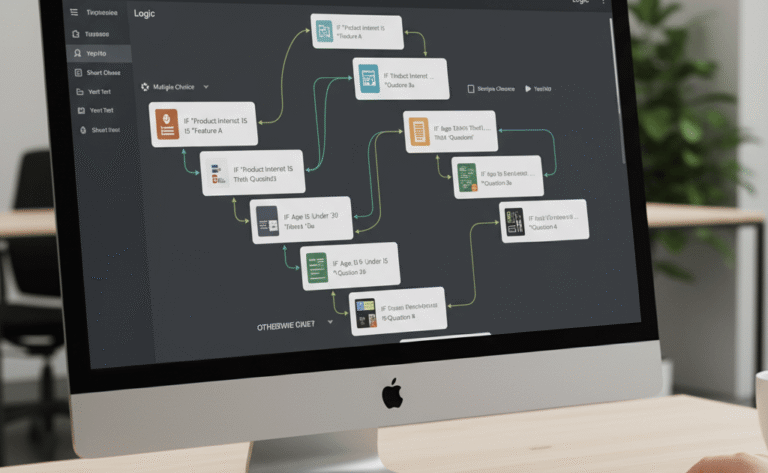
Typeform logic allows you to create personalized, adaptive surveys that respond to each user’s choices. In this detailed guide, we explain how logic branching and hidden fields work, how to fix common issues like logic jumps not working, and how to build smarter forms with help from My Survey Help’s Typeform experts.
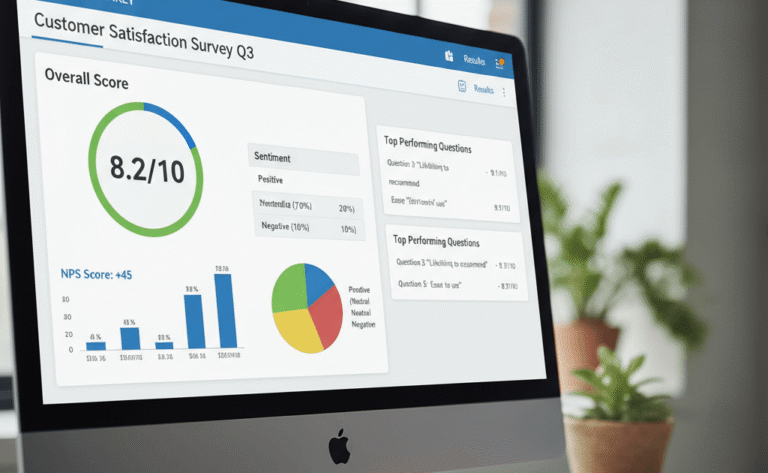
SurveyMonkey scoring allows you to assign values to answers, calculate performance, and interpret survey outcomes. This guide explores how to set up and analyze scores in SurveyMonkey, including weighted scoring, logic-based scoring, and advanced data interpretation for professional reporting.
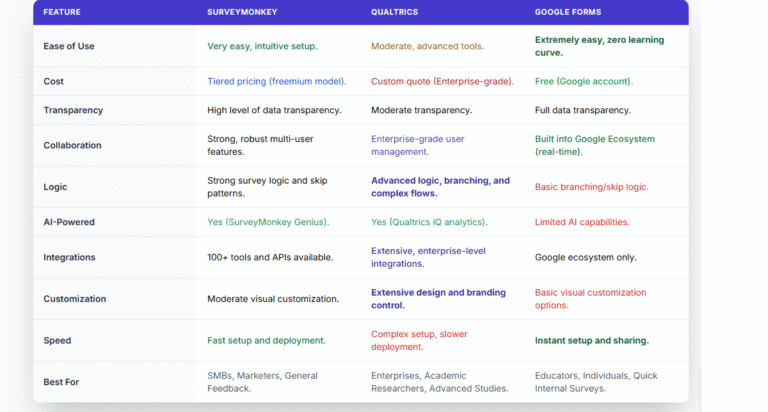
Choosing the right survey platform can determine how easily you collect responses, analyze data, and make informed decisions. With so many options available, three tools consistently lead the conversation—SurveyMonkey vs Qualtrics vs Google Forms. Each platform brings unique strengths to the table. SurveyMonkey is known for its intuitive interface and wide range of templates; Qualtrics…
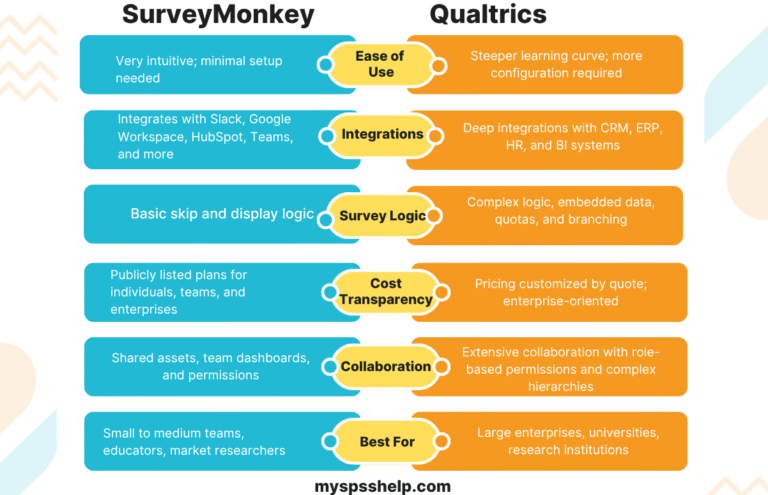
Selecting the right survey platform determines how efficiently you collect data, the quality of responses you get, and the ease with which your team analyzes results. Two platforms dominate this space: SurveyMonkey and Qualtrics. Both are powerful but designed for different types of users. SurveyMonkey focuses on simplicity, speed, and cost-efficiency, while Qualtrics offers depth,…
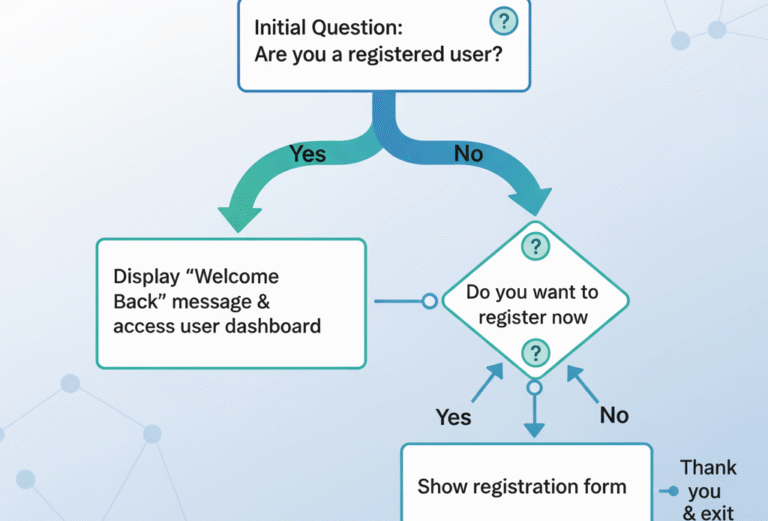
This article explains everything you need to know about SurveyMonkey logic branching — how it works, how to use it effectively, and how to fix common issues.