Best Survey Design and Analysis Help for Dissertation Students
Stuck with survey design or data analysis in your dissertation? Learn how to fix common mistakes and get expert support to complete your research with confidence.

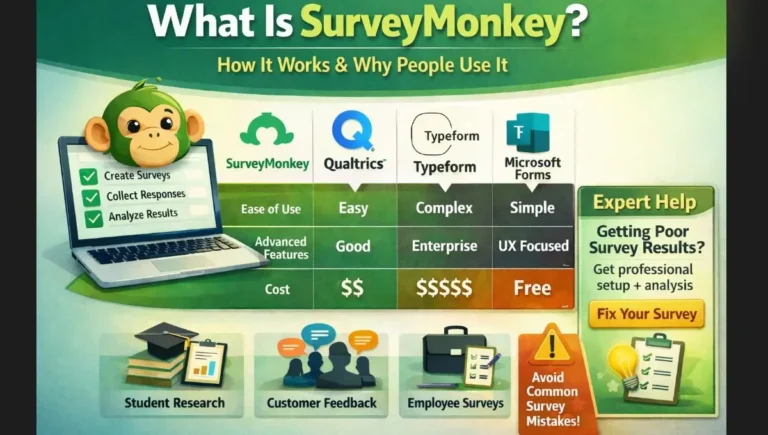
Looking for the right platform to design your next survey? The Survey Design Tools category at My Survey Help is your go-to resource for choosing the ideal solution. We offer detailed guides, tool comparisons, and practical tutorials covering popular platforms like SurveyMonkey, Qualtrics, Typeform, Microsoft Forms, and QuestionPro.
Whether you’re a student running academic research, a business gathering customer feedback, or an HR professional measuring employee engagement, selecting the right tool makes all the difference. That’s why we focus on helping you understand how each platform works in real-world scenarios.
Our articles break down features, pricing, usability, and reporting capabilities to help you find what fits your goals and budget. We also highlight key differences between tools, so you can make confident decisions—especially when accuracy, data security, and ease of use are priorities.
You’ll find expert insights on survey creation, logic branching, response tracking, integrations, and more. We also cover platform limitations and hidden challenges to help you avoid costly mistakes. Whether you’re new to surveys or a seasoned researcher, our step-by-step guides and expert reviews make navigating survey tools much easier.
Stay ahead by choosing smarter. With our regularly updated content, you’ll save time, reduce guesswork, and improve the quality of your data collection. Browse the Survey Design Tools section and discover the platform that best supports your research success.

Stuck with survey design or data analysis in your dissertation? Learn how to fix common mistakes and get expert support to complete your research with confidence.


Microsoft survey tool, Microsoft Forms, makes it simple to create surveys, quizzes, and polls. This guide shows how to design, share, and analyze surveys for business, academic, and organizational needs.

Google Forms is a powerful, free tool for creating and distributing surveys. This comprehensive guide explains how to use Google Forms to collect data effectively, customize surveys, analyze responses, and optimize results for academic, business, or organizational research.

Looking to build robust surveys with advanced logic, real-time analytics, and seamless integrations? This all-in-one QuestionPro guide explores everything from setup to analysis, tailored for researchers, businesses, educators, and students.

Trying to create a Typeform survey but getting stuck with logic, structure, or low responses? This guide shows the exact steps and fixes common mistakes so your survey works properly.

Explore Qualtrics in depth with this comprehensive guide from My Survey Help. Learn how to create, distribute, and analyze surveys with advanced logic, dashboards, and integrations for academic and professional research.

What is SurveyMonkey and how does it work? This beginner-friendly guide explains features, uses, limits, and setup steps with practical examples.