If you’ve ever asked yourself how to use SurveyMonkey, you’re not alone. SurveyMonkey remains one of the most popular survey platforms worldwide, trusted by students, researchers, nonprofits, and businesses alike. Its easy-to-use interface makes it simple to set up surveys, distribute them widely, and analyze responses without requiring advanced technical skills.
But here’s the truth: while using SurveyMonkey is easy, mastering it is not. Many people sign up for the free plan, create a survey, and then wonder why they aren’t getting enough responses—or worse, why the data doesn’t make sense. That’s why this guide doesn’t just show you how to use SurveyMonkey free or across integrations like Teams and Mailchimp—it also explains how professional survey design and expert support can take your project to the next level.
And if you’re ready to stop experimenting and get expert support, you’ll also discover how our transparent, affordable, and high-quality survey solutions at Myspsshelp.com can save you time and guarantee results.
How to Use SurveyMonkey to Create a Survey
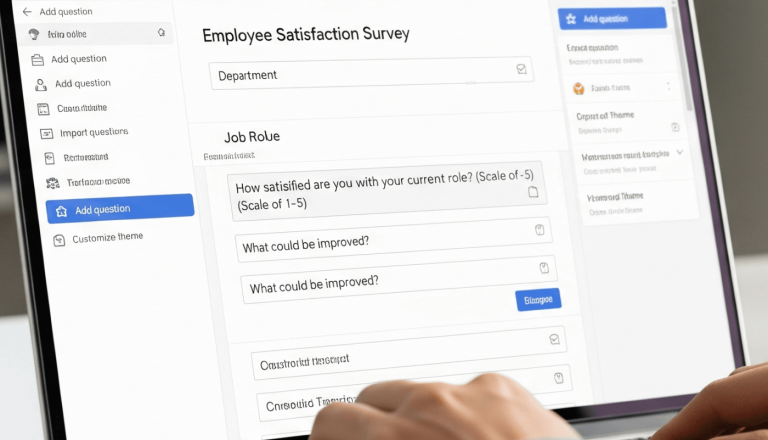
The heart of SurveyMonkey is survey creation. If you’re asking how to use SurveyMonkey to create a survey, here’s the detailed process:
- Log in and click “Create Survey.”
Choose from scratch or use one of their 150+ templates. - Add questions.
Types include multiple choice, checkboxes, ranking, Likert scales, text boxes, and demographic questions. - Apply survey logic.
Use skip logic and branching to ensure participants only see relevant questions. - Customize appearance.
Add branding, logos, or colors to make the survey look professional. - Preview and test.
Always check your survey flow to avoid errors. - Distribute.
Share via link, social media, or embed directly on your website. - Analyze responses.
View charts, export data, or connect to analytics tools.
Even though the process is straightforward, designing questions that produce unbiased, useful data requires expertise. At Myspsshelp.com, we design surveys that avoid common mistakes like leading questions or confusing answer scales.
SurveyMonkey in Microsoft Teams
Collaboration is a big part of modern workplaces, which is why many ask how to use SurveyMonkey in Teams or more specifically how to use SurveyMonkey in Microsoft Teams.
Here’s how:
- Open Microsoft Teams and go to Apps.
- Search for SurveyMonkey and install it.
- Sign in to your SurveyMonkey account.
- Create or select an existing survey within Teams.
- Share with colleagues in a channel or during meetings.
- View responses without leaving Teams.
This integration is perfect for HR surveys, quick employee polls, or customer feedback collection during project discussions.
SurveyMonkey in Zoom
If you’re running webinars, training sessions, or remote classes, knowing how to use SurveyMonkey in Zoom is invaluable.
You can’t create surveys inside Zoom itself, but here’s what works:
- Create your survey in SurveyMonkey.
- Share the survey link in the Zoom chat.
- Include it in your follow-up email.
- Analyze responses post-event.
This makes feedback collection seamless after virtual sessions.
Using SurveyMonkey with Mailchimp
Marketers often ask: how to use SurveyMonkey with Mailchimp or how to use SurveyMonkey in Mailchimp.
The integration allows you to:
- Embed surveys in Mailchimp campaigns.
- Collect feedback from your mailing list.
- Segment respondents based on answers.
- Improve personalization in future campaigns.
Example: A retail store emails customers with a SurveyMonkey link asking about shopping habits. Based on responses, Mailchimp segments customers for tailored promotions.
Using SurveyMonkey for RSVP
Planning an event? Here’s how to use SurveyMonkey for RSVP:
- Create a survey titled “Event RSVP.”
- Add questions like:
- Will you attend? (Yes/No)
- Guest count
- Food preferences
- Will you attend? (Yes/No)
- Share the link with invitees.
- Track responses in real time.
This method is far more reliable than email RSVPs or phone calls.
SurveyMonkey in Meeting Scheduling
If you’ve asked how to use SurveyMonkey to schedule a meeting, here’s the process:
- Create a survey with multiple time slot options.
- Ask respondents to pick their preferred slot.
- Pick the option with the most votes.
This works well for team meetings, client consultations, or group projects.
SurveyMonkey in Voting
For clubs, committees, or organizations, how to use SurveyMonkey for voting is a popular query.
Steps:
- Create a survey with candidates or voting options.
- Enable anonymous responses for fairness.
- Share securely with participants.
- Export results for transparency.
Example: Universities often use SurveyMonkey for student union elections.
Using SurveyMonkey with YouTube
Although there isn’t a direct integration, you can use SurveyMonkey with YouTube by;
- Adding your survey link in the video description.
- Mentioning the survey in your video.
- Encouraging subscribers to complete it.
This is a smart way for YouTubers to collect audience feedback.
Why Hire Experts for SurveyMonkey Projects
So far, you’ve learned the how-to basics, but here’s the reality: using SurveyMonkey is easy, yet getting high-quality, actionable data is hard.
That’s where expert support matters. At Myspsshelp.com, we don’t just create surveys. We design strategies for success.
Why Businesses & Researchers Hire SurveyMonkey Experts
- Transparency: We provide clear pricing—no hidden fees.
- Affordability: Packages starting at just $160 make us accessible to students and businesses alike.
- Multiple Revisions: We revise until you are 100% satisfied.
- On-Time Delivery: We respect your deadlines.
- High Quality: Our surveys are designed to minimize bias and maximize insight.
- Expert Questionnaire Data Analysis: We pair SurveyMonkey with SPSS, Jamovi, Python, R, STATA, Excel or any other statistical tool you prefer for professional-level reporting.
Our Pricing Packages
- Basic Survey Design: $160–$299 (ideal for small projects or student research).
- Standard Survey & Analysis: $399–$549 (business feedback, thesis chapters, customer satisfaction).
- Advanced Survey Solutions: $550–$800 (large datasets, advanced logic, statistical modeling, APA-style reports).
Compared to wasted hours on poor survey design, our solutions save you time, money, and reputation.
Why Hire Freelance SurveyMonkey Experts in 2026
The demand for SurveyMonkey specialists is growing rapidly in 2026 as organizations rely more on accurate data. Hiring experts ensures:
- Faster turnaround
- Professional design
- Higher response rates
- Reliable insights
When you hire from My Survey Help, you’re not just buying a survey—you’re investing in accuracy, efficiency, and actionable data.
Ready to get started? Visit our pricing page and let us help you design the perfect SurveyMonkey survey today.
FAQs
1. Is SurveyMonkey free to use?
Yes, but with limitations—10 questions and 40 responses per survey.
2. Can I use SurveyMonkey for scheduling meetings?
Yes, by creating polls with multiple time slots.
3. Does SurveyMonkey work with Teams and Zoom?
Yes. With Teams, you can integrate directly. With Zoom, you share survey links before/after meetings.
4. Can I use SurveyMonkey for voting or elections?
Absolutely. Anonymous polls make it a secure option.
5. Why hire a SurveyMonkey expert?
Because great survey design requires more than software. Experts ensure clarity, accuracy, and professional analysis.
Conclusion
Using SurveyMonkey is straightforward—you can create free surveys, schedule meetings, run RSVPs, or integrate with platforms like Teams, Zoom, and Mailchimp.
But if your survey is important, don’t leave it to trial and error. Hire the best SurveyMonkey experts in 2025 and guarantee results.
Here, we combine affordability, transparency, quality, and expertise to give you surveys that truly matter. Let’s design a survey that works for you.