IBM SPSS Statistics remains one of the most widely used statistical software tools for academic research, survey analysis, and business decision-making. If you are searching for an ibm spss free trial, comparing IBM SPSS Statistics pricing, or trying to understand which SPSS version you should use in 2026, this guide provides clear and practical answers.
Moreover, this article explains how to download IBM SPSS safely, how student licenses work, how to check your SPSS version, and which versions remain relevant today. As a result, both beginners and experienced users can rely on this guide as a single reference point.
What Is IBM SPSS Statistics?
IBM SPSS Statistics is a professional software package designed for statistical analysis, data management, and reporting. Initially created for social science research, SPSS has since expanded into many other fields.
Today, researchers and analysts use IBM SPSS Statistics in:
- Academic research and dissertations
- Survey research and questionnaire analysis
- Business analytics and customer insights
- Healthcare, clinical trials, and public health
- Government research and policy evaluation
Importantly, SPSS allows users to run advanced statistical tests through a menu-driven interface. At the same time, it supports syntax, Python, and R for users who require automation and reproducibility.
IBM SPSS Free Trial
The ibm spss free trial gives users temporary access to IBM SPSS Statistics so they can evaluate the software before purchasing a license. Therefore, it is the safest way to explore SPSS without financial commitment.
What the IBM SPSS Free Trial Includes
- Core statistical procedures
- Descriptive statistics and data visualization
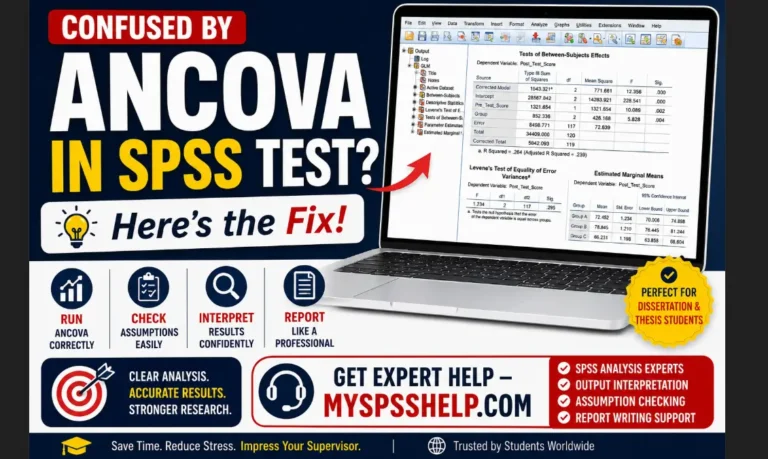
- Correlation, regression, and ANOVA
- Data Editor and Output Viewer
- Support for Windows and macOS
Official IBM SPSS Free Trial Download
To avoid security risks, always download SPSS directly from IBM. During installation, IBM requires users to:
- Create or sign in with an IBM account
- Activate the trial license online
- Install the software within the allowed trial period
Although many users search for an IBM SPSS free download, IBM does not offer a permanent free version. Consequently, any site claiming to provide a full free edition should be avoided.
IBM SPSS Statistics Features
IBM SPSS Statistics offers a wide range of features that support both simple and advanced data analysis.
Key IBM SPSS Statistics Features
- Data cleaning, recoding, and transformation
- Descriptive statistics and frequency analysis
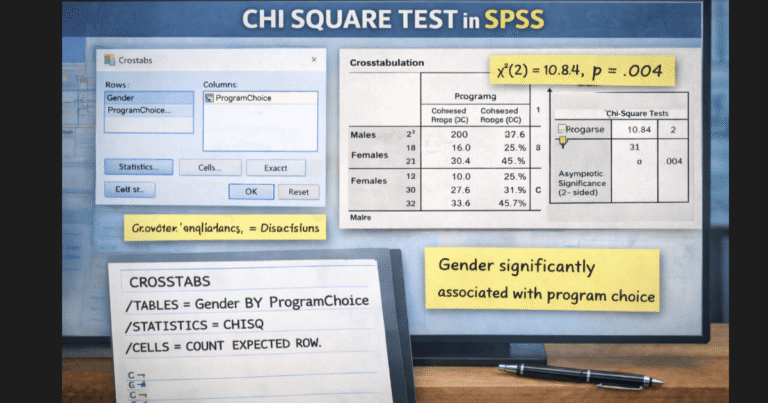
- T-tests, chi-square tests, and ANOVA
- Linear and logistic regression
- Factor analysis and cluster analysis
- Survival analysis and time-to-event modeling
- Pivot tables and custom tables
- Syntax editor for repeatable analysis
Because of this flexibility, SPSS works equally well for coursework, dissertations, and professional research projects.
Discovering Statistics Using IBM SPSS Statistics
Many students first encounter SPSS through textbooks such as Discovering Statistics Using IBM SPSS Statistics. In this context, SPSS supports learning by linking statistical theory directly to real data analysis.
For example, students can:
- Apply statistical methods using menu-based tools
- Interpret results through clearly labeled output tables
- Gradually move from menus to syntax-based analysis
As a result, SPSS has become a standard teaching tool in undergraduate, postgraduate, and doctoral programs worldwide.
IBM SPSS Statistics Pricing Explained
IBM SPSS Statistics pricing depends on the type of license and the category of user.
Common Pricing Models
- Monthly or annual subscription licenses
- Perpetual licenses for institutions
- Paid add-on modules for advanced analysis
- Academic and student pricing options
In general, professional licenses cost significantly more than student licenses. Therefore, students and researchers should always explore academic pricing before purchasing a commercial license.
For up-to-date pricing details, visit: https://www.ibm.com/products/spss-statistics
SPSS Student Discount, License, and Pricing
IBM provides several cost-effective options for students.
SPSS Student Discount Options
We have different types of student discounts. These include;
- IBM SPSS GradPack
- University-wide site licenses
- Authorized academic resellers
SPSS Student License Types
- SPSS student version for non-commercial academic use
- SPSS student trial with limited duration
- SPSS student license offered at a reduced price
SPSS Student Price
The SPSS student price varies by version and license length. However, it remains far lower than professional pricing. Additionally, resellers often use terms such as SPSS student Medium to describe mid-level academic bundles.
IBM SPSS Statistics Versions Explained
Over time, IBM has released multiple SPSS versions. Consequently, users often search for specific releases.
Older SPSS Versions
- SPSS version 20
- SPSS version 22
- SPSS version 25
These versions still appear in legacy research projects and older institutional systems.
Newer and Recent SPSS Versions
- SPSS version 27
- IBM SPSS version 28
- SPSS version 29
- SPSS version 30
- SPSS version 31
Latest SPSS Version (2026)
When users look for IBM SPSS Statistics latest version 2026, they typically want the most recent major release available during the 2025–2026 period. Since IBM releases updates regularly, you should always confirm the latest SPSS version on IBM’s official website before installing.
IBM SPSS Free Download: What Is Legitimate?
IBM does not provide a lifetime free edition of SPSS. Instead, legitimate access comes from:
- IBM SPSS free trial
- SPSS student trial
- SPSS student license or GradPack
- University-provided access
Therefore, downloading SPSS from unauthorized sources creates legal and security risks.
How to Check SPSS Version
If SPSS is already installed, you can confirm the version easily.
Steps to Check SPSS Version
- Open IBM SPSS Statistics
- Select Help from the top menu
- Click About IBM SPSS Statistics
This screen shows the installed version number and confirms whether you are using SPSS version 25, 28, 29, 30, 31, or another release.
Conclusion
IBM SPSS Statistics continues to be a trusted solution for statistical analysis across industries. Whether you are exploring the IBM SPSS free trial, comparing IBM SPSS Statistics pricing, choosing between SPSS versions 20, 25, 28, 29, 30, or 31, or searching for a SPSS student license, this guide helps you make informed decisions.
If you need expert support with SPSS installation, data analysis, or result interpretation, professional assistance can save time and improve accuracy.